How to make a QR code menu for free
A step-by-step way to put your restaurant menu behind a QR code without paying anything, the mistakes that make printed codes stop working, and when a menu app is worth the money.
You can make a QR code menu for free in about twenty minutes. You need your menu as a PDF, a place online to keep it, and a QR code that points to it. This guide walks through each step, then covers the two mistakes that leave restaurants with printed codes that stop working.
What you need
- Your menu as a PDF. If you only have the printed card, you can scan it with your phone.
- A free Google account, to keep the PDF online with a link that doesn’t change.
- A QR code generator that makes static codes. More on that below, because it matters.
- A phone to test with, and a print shop for the table cards.
Step 1: Turn your menu into a PDF
If your menu was designed on a computer, ask whoever made it for the PDF. If it was typed in Word or Google Docs, use File > Download > PDF.
If all you have is the printed card, scan it. In the Google Drive app on Android, tap +, then Scan. On an iPhone, open the Notes app, start a new note, tap the camera icon and choose Scan Documents. Lay the menu flat near a window, scan every page, and save it as one PDF.
Check the scan on your phone before you go further. If you have to zoom in to read the prices, your diners will too.
Step 2: Put the PDF online with a link that stays the same
Upload the PDF to Google Drive. Tap the three dots next to it, choose Share, and under General access pick Anyone with the link as a Viewer. Copy the link.
This link is what your QR code will open, so it must never change. When your prices change later, don’t delete the old file and upload a new one: that gives you a new link, and every printed code on your tables will still open the old menu. Instead, on a computer, right-click the file in Google Drive, open File information > Manage versions, and upload the new PDF there. The link stays the same and diners see the new menu.
Step 3: Make a static QR code
Paste the link into a QR code generator and download the code as a PNG or SVG.
Here is the first big mistake. Many "free" QR generators make dynamic codes: the code points to the generator’s own website, which then forwards diners to your menu. That lets them count scans, and it also lets them switch your code off when their free trial ends. Restaurants find out when a customer says the code isn’t working, after the cards are already printed and laminated.
A static code has your link written inside it. Nobody can switch it off. To check what you got, scan the code with your phone camera before printing: the link your phone shows should start with drive.google.com, not the generator’s website. If the generator asks you to sign up or mentions a trial, look for another one.
Step 4: Print it and test it
Print the code at least 3 cm wide on table cards, and bigger on a wall poster or the door. Keep it black on white with some blank space around it, on matte paper if you can, because glossy lamination throws back light and makes scanning slow.
Before you put it on every table, test it on two phones, an iPhone and an Android, standing where a diner would sit. Write a line under the code like "Scan for menu" so people know what it is.
That’s the free version done.
What the free way can’t do
A PDF menu works. It also has limits you’ll feel within a week or two.
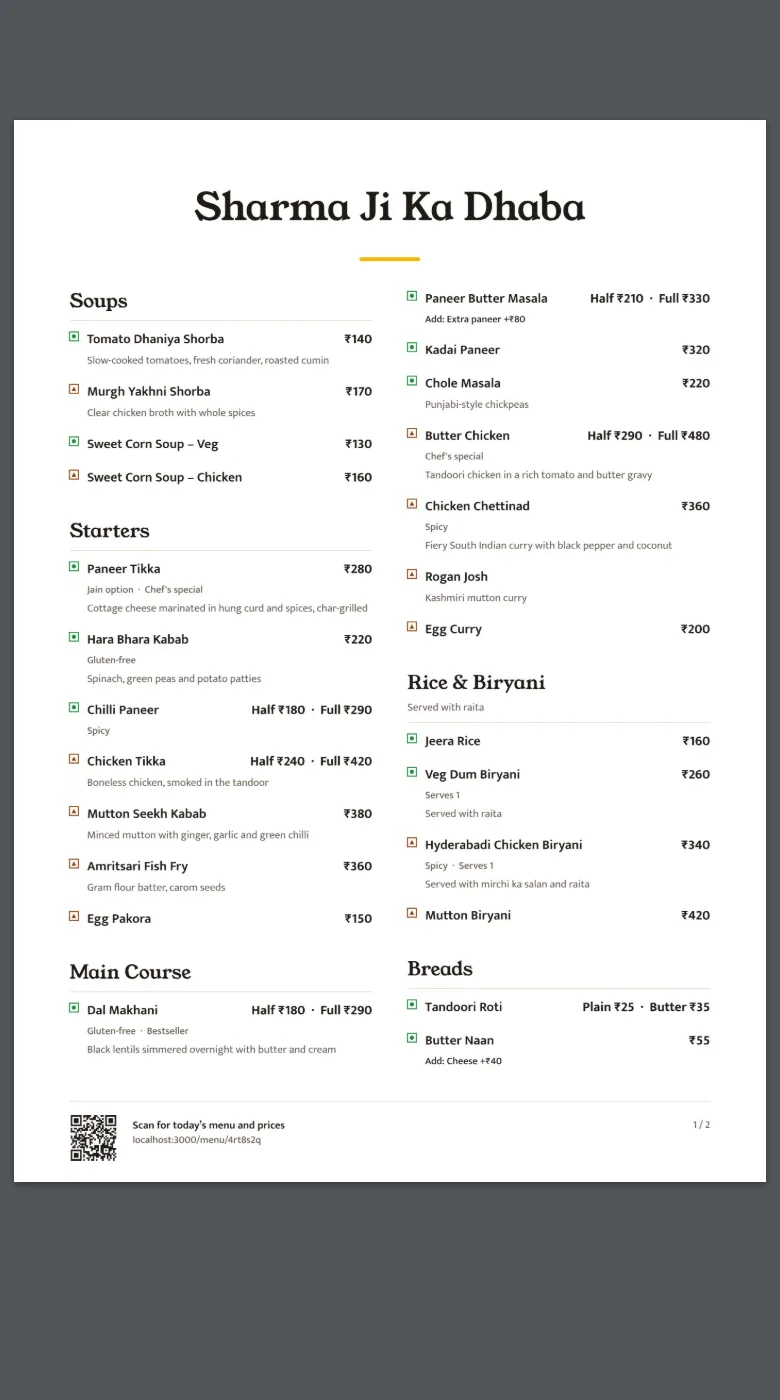
- A menu designed for an A4 card shrinks to fit a phone screen, so diners pinch and scroll sideways to find the prices.
- Changing a price means editing the file, exporting a new PDF and uploading it as a new version. Most owners stop doing it, and the online menu drifts away from the real one.
- Diners can’t search or filter. Nobody can tap "veg only" or find the paneer dishes in a six-page PDF.
- You can’t hide a dish that’s sold out tonight without making a new file.
- Static codes don’t count scans, so you never know whether anyone uses the menu.
If your menu rarely changes and you have one or two pages, none of this may matter. If you change prices every month, have a long menu, or serve a lot of diners who read Hindi or another regional language, a menu app saves you real time.
What a QR menu app adds
A QR menu app gives you a menu that’s built for phones and a dashboard to change it. Most also handle the QR code for you, so you can’t end up with a code that expires.
In India these apps cost between about ₹99 and ₹300 a month for a view-only menu (we compared the main ones in the best QR menu software in India). Tools that also take orders and payments at the table usually come as part of a billing system and cost more.
Making one with Slatemenu
Slatemenu is the app we make. It’s free for 14 days with no card, then ₹299 a month or ₹2,499 a year. It never renews on its own. This is what setting it up looks like, from the same paper menu you would have scanned for the PDF.
1. Take a photo of each page. Slatemenu reads the dishes, prices, descriptions and veg or non-veg marks from your photos. A PDF works too.
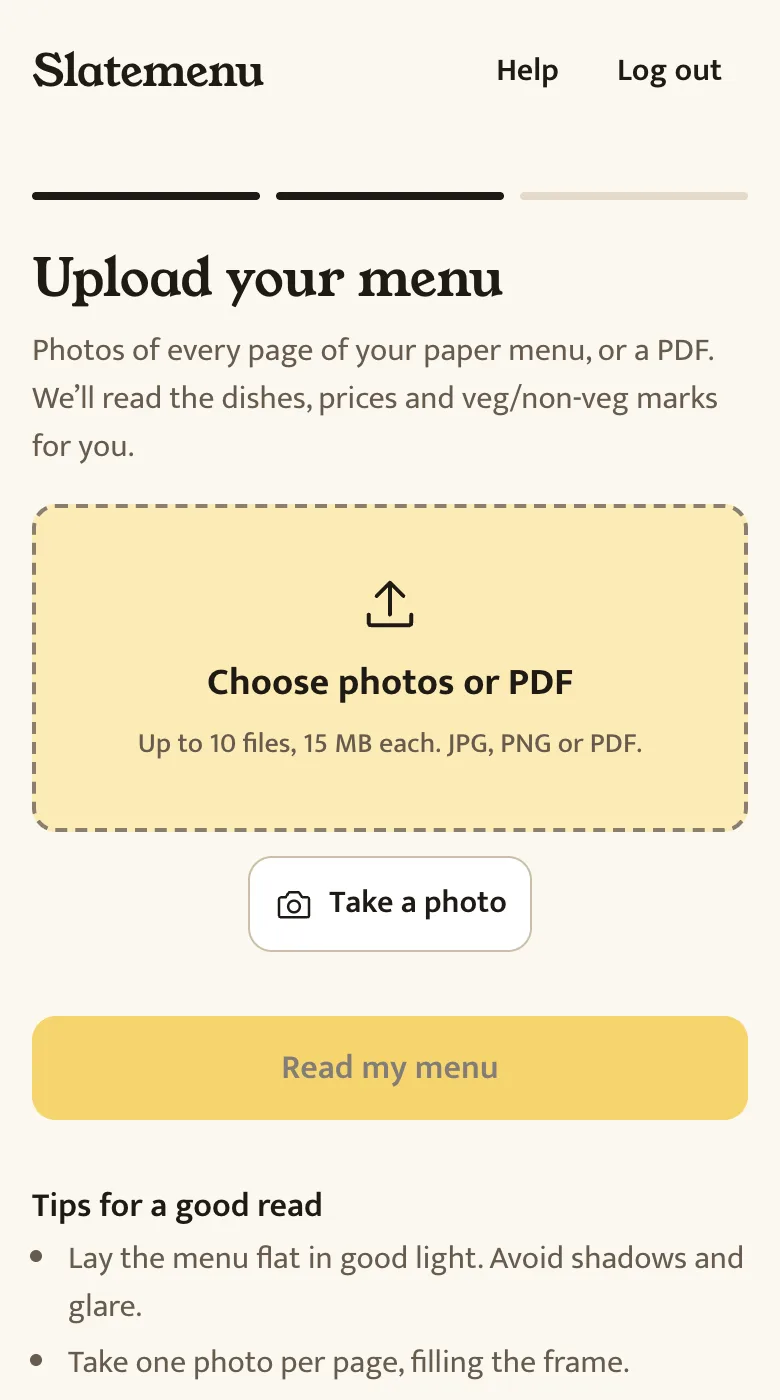
2. Check what it read. Everything appears on one screen. Anything the reader wasn’t sure about, like a blurry price, is highlighted so you know where to look.
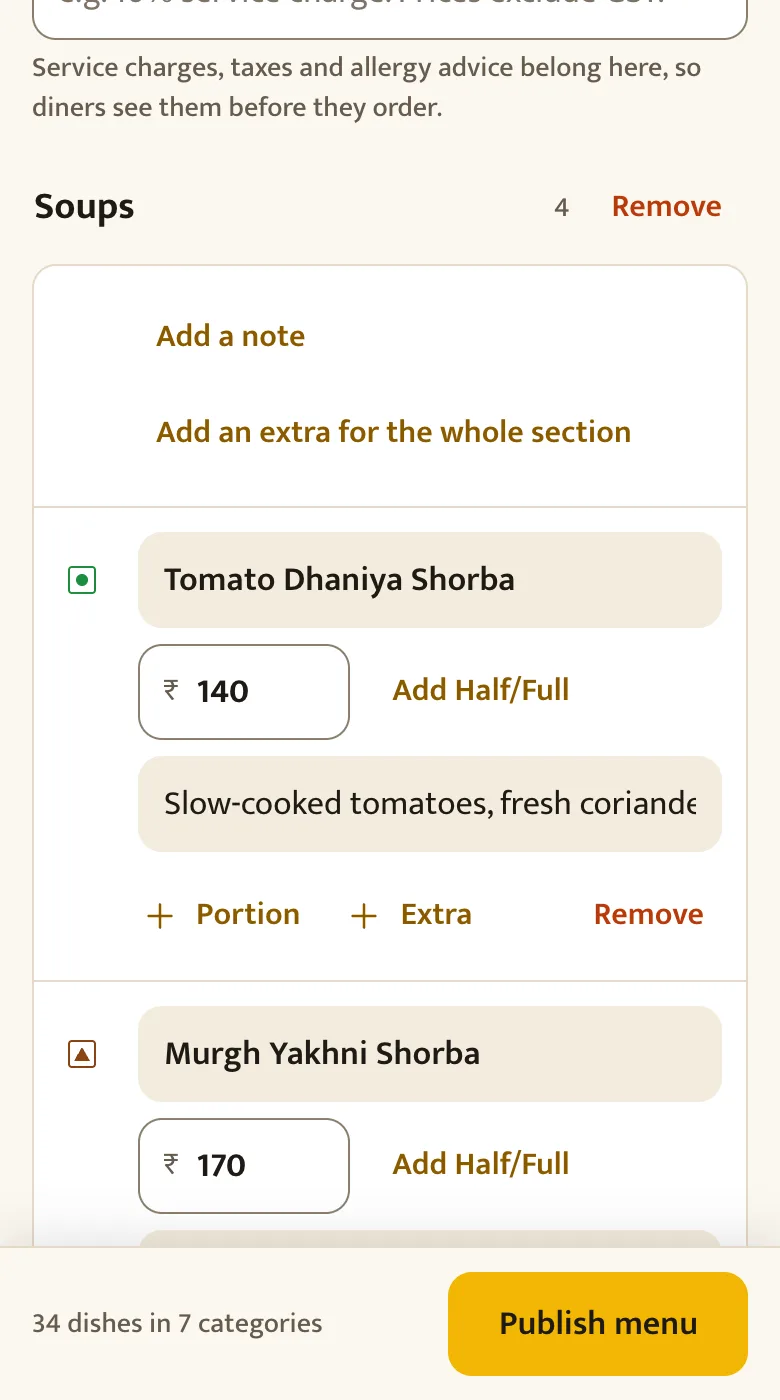
3. Print your QR code. Download a table tent, counter poster, sticker or door sign with your restaurant’s name on it, and print it at any print shop. The code points to your menu’s permanent link, so it never expires and you never reprint it.
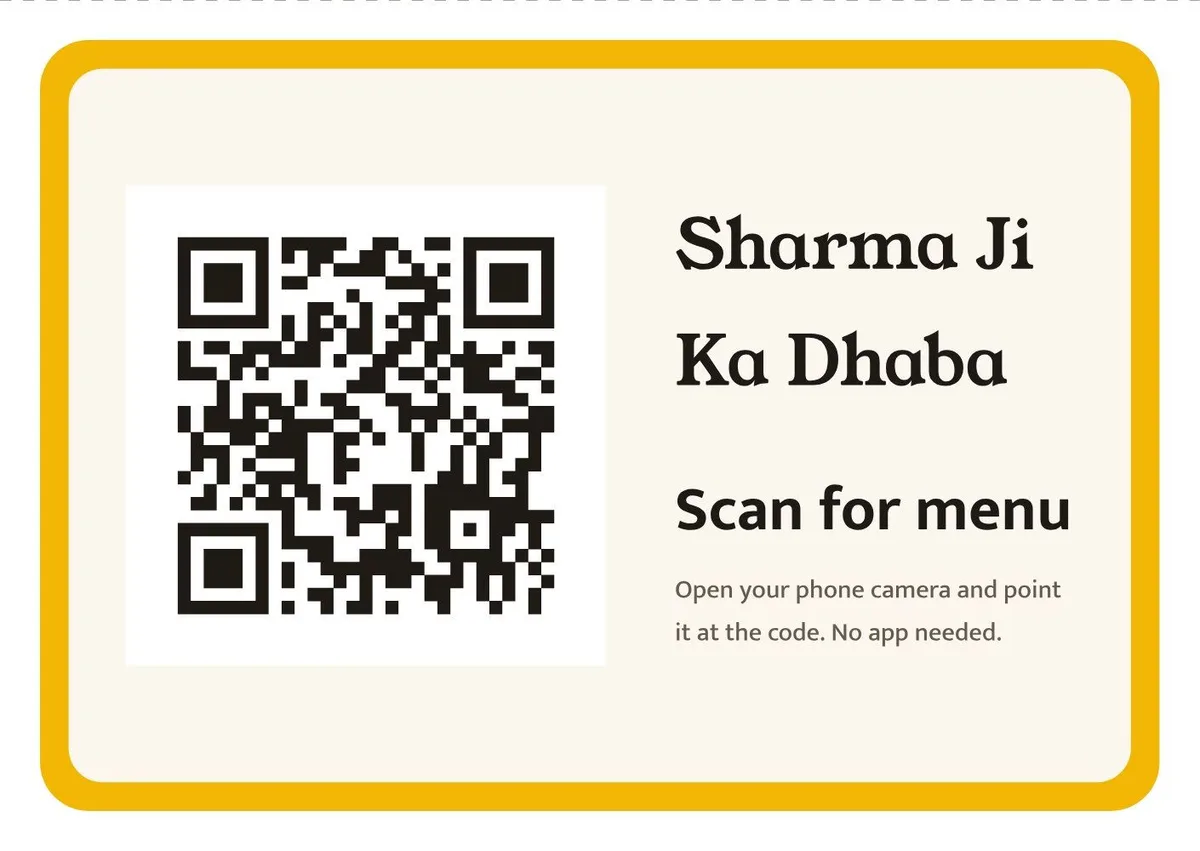
Your diners get a menu made for their phone, with veg and non-veg marks, a search box and a veg-only switch. They can switch it to Hindi, Marathi, Tamil or six other Indian languages if you turn them on.
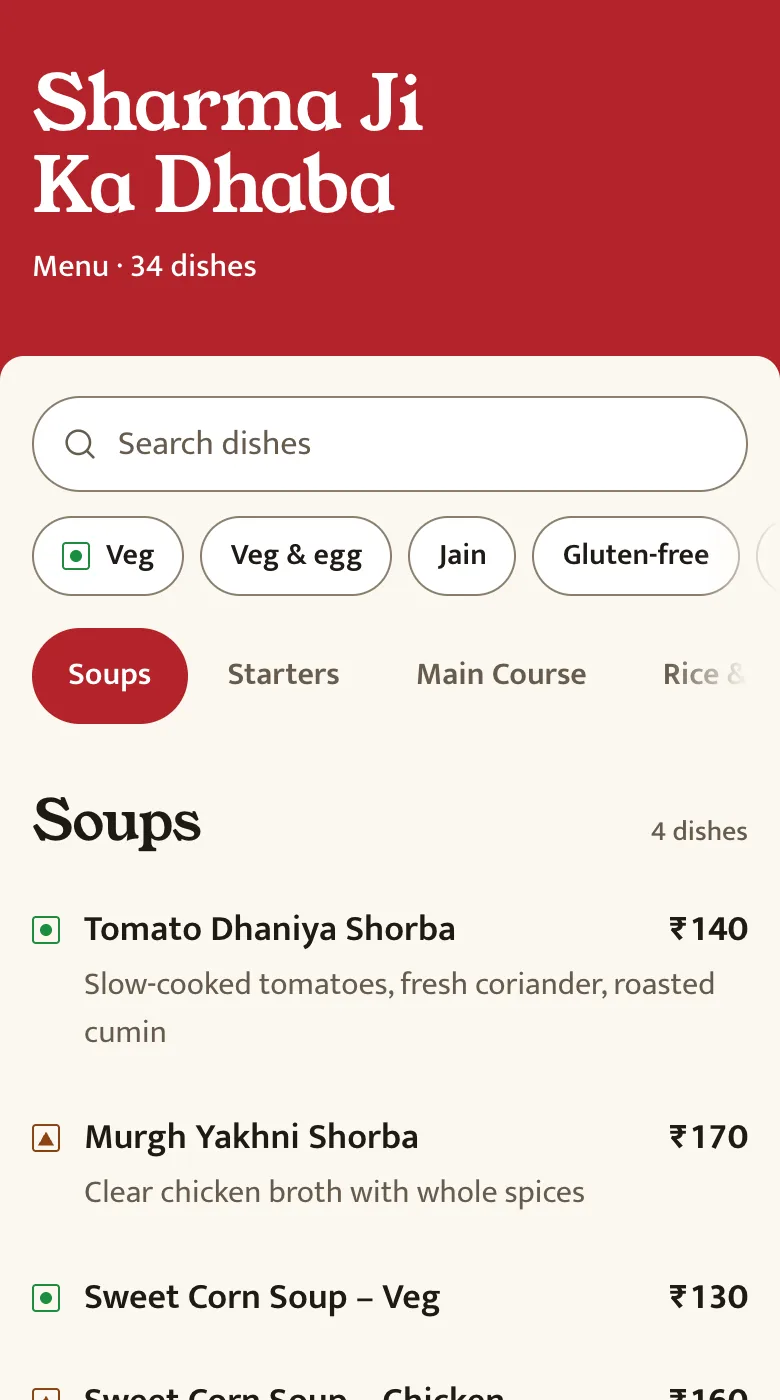
When a price changes, tap it and type the new one. When a dish runs out, switch it off. Both show on every table straight away.
Questions
Is a QR code menu free forever?
The PDF way is free forever if you use a static QR code and keep the same Google Drive link. Menu apps usually have a free trial or a limited free plan, then a monthly price.
Do my customers need an app to scan the code?
No. The camera app on almost every phone sold in the last few years reads QR codes. On older Android phones, Google Lens does it.
How big should the QR code be?
At least 3 cm wide on a table, and bigger the further away people stand. A code on the door or a wall poster should be 8 to 10 cm or more.
Will my QR code stop working?
A static code never stops working, as long as the link inside it works. A dynamic code from a QR generator stops when that service switches it off, usually when a free trial ends. If you use a menu app, check that the code points to your menu’s own link.